I have built few apps and spent quite a lot of time understanding analytics with the user usage and interaction. I am currently learning the hacks of product terminologies and its parameters to observe growth in users or dips in activity.
Understanding analytics data has always been a little more work for me. While working on my side projects, I created an MCP server for one of our products — Nunee. Developing the MCP server was very straightforward, the results were pretty helpful in understanding user usage, frequently visited sites, and analysis of oppurtunities to improve using data from our user base and Database.
  {
    "potential_sites": [
      "finance.yahoo.com",
      "bloomberg.com",
      ...
    ],
    "use_cases": [
      "Analyze stock performance and market trends",
      "Compare investment options and risks",
      ...
    ],
    "estimated_weekly_interactions": 10,
    "time_savings_hours": 1.5
  },
To achieve this, I shared the necessary API endpoints from my schema, some data API fo event details of GA4 and exposed those to LLMs (read only) via Model Context Protocol (MCP) format— basically feeding your available API endpoints as tools to the MCP server. With the Nunee MCP server, I was able to ask questions using the available data, create instant dashboards as per my wish, and perform research queries. For example, I asked the MCP server :: what websites it feels my app would be most used? . In the above response, the LLM leveraged the MCP response to give me a clearer analysis of what could be improved.
Below, you can find an image with a customized view of my analytics data, showing variations and categorization as per my chat. This opens up an opportunity to enable the creation of screens, cusotm visualization, post-analysis data, and enhance research faster and on a broader scale.
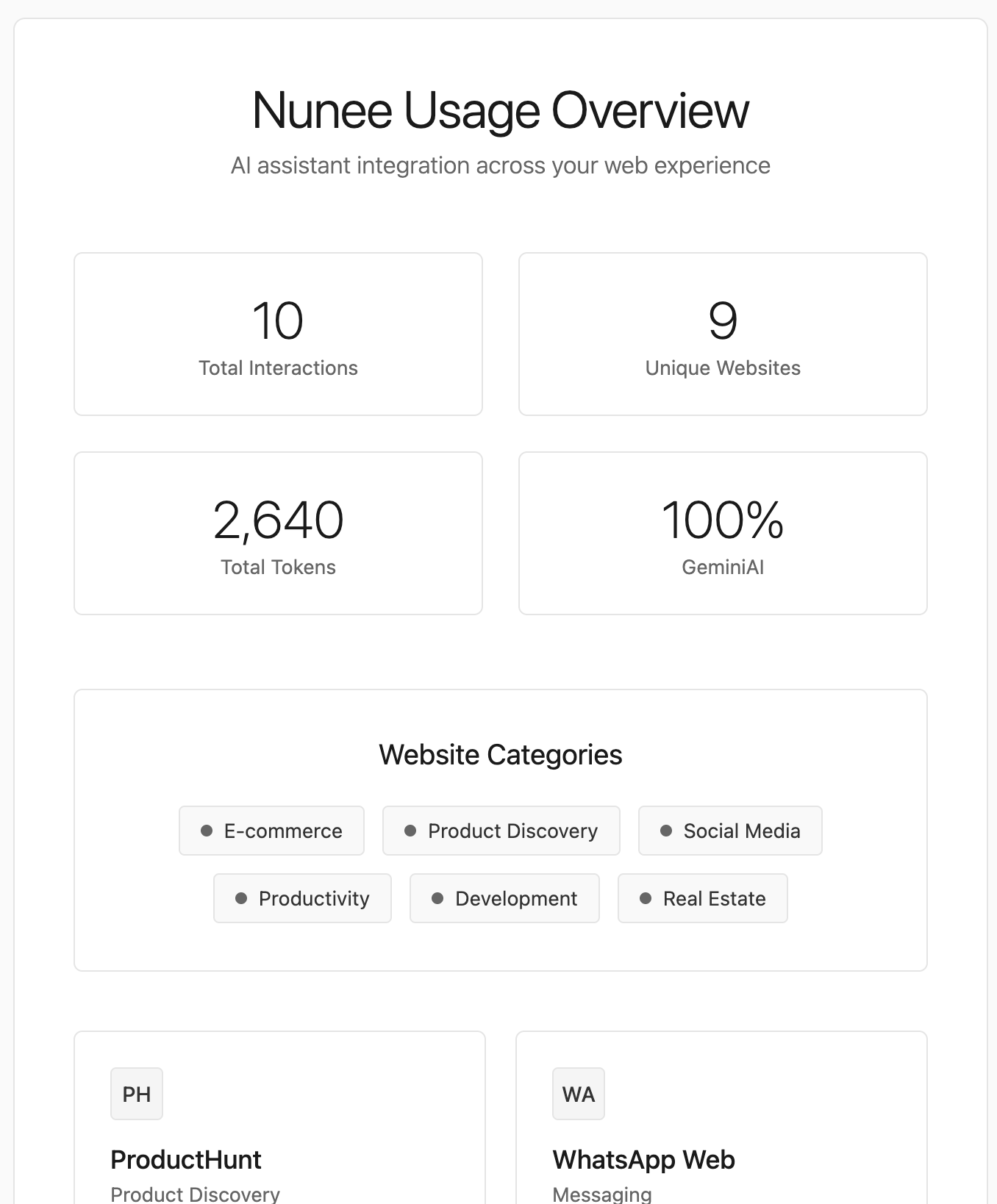
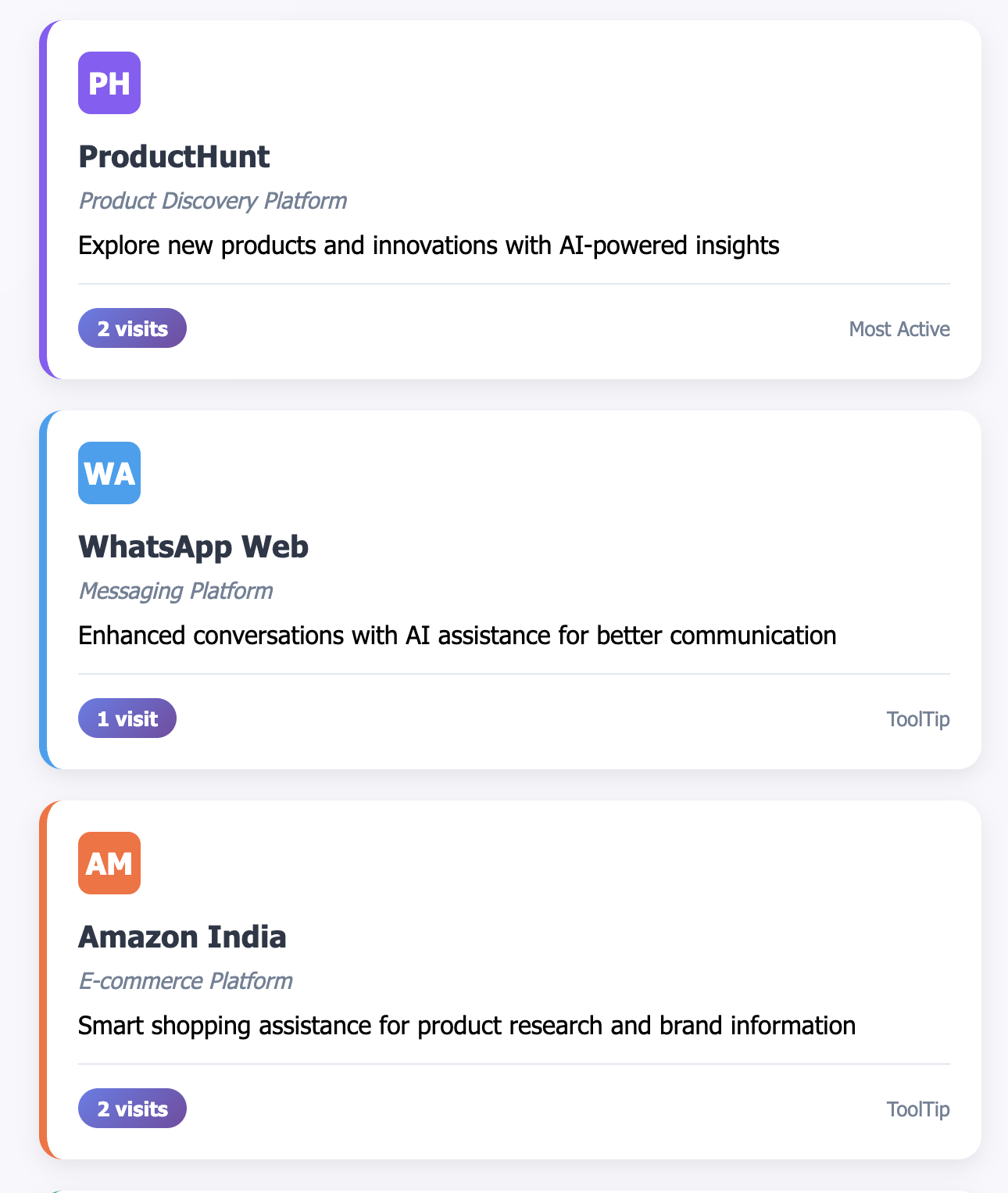
With this ability to adapt insights in the process of viewing analytics, LLMs can even compare and suggest use case scenario or simulate interactions based on the available data. With Nunee, we are finding ways to improve the product performance.
Chat with App
LLMs provide an additional hand in comparing our own data assets with more precision and context. I believe MCP could have an impact majorily to introduce new experience of interacting with your SaaS or Business Application — mainly by providing a chat interface for all complex actions, input forms or user behaviour. Users could simply have a voice-based or text-based conversation instead of filling multiple input fields and clicking thorugh buttons, making the interaction more natural and less mechanical.

Some Code
I developed this MCP integration using JavaScript, @modelcontextprotocol/sdk library. I was able to complete the MCP server for Nunee with the following stack:
- LLM Developer API: ChatGPT, Claude (currently supported)
- Your own API schema or Google Analytics Data API or any other Analytics tool
- Application module
Following are the key steps:
- Creating tools with selected endpoints
- Exposing the correct properties
- Connecting the server with my API using a special auth token
openaisdk for providing endpoints for this AI tool from Backend
const tools = [
  {
    name: "nunee_response_count",
    description:
      "Get the total count of sites where Nunee has been used. Use this for simple count queries.",
    inputSchema: {
      type: "object",
      properties: {},
      additionalProperties: false,
    },
  },
]
I often missed the importance of descriptions in the API schema. As humans, we are aware of the context, but AI (as of now) may fail to do so — providing a better description matters. For example, in the above snippet, the description clearly tells the AI how to use it. Also, with tools :: properties are the key to inform the LLMs about the parameters they need to pass as requests to the API, why and when to use it provides the LLM to use it as required.
properties: {
  query: {
    type: "string",
    description: "What to search for (keywords, topics, website names)",
  },
  searchField: {
    type: "string",
    description:
      "Where to search: 'question', 'response', 'url', 'context', or 'all'",
    default: "all",
  },
}
Encapsulating tools with proper prompts or descriptions might seem like a small task, but it significantly helps AI understand and use them in multiple cases. Then, using nunee backend (the application module — could be a backend API or a client call), I started asking questions on some random touchpoints. It provided some highly unexpected relationships and insights. Also, kept asking to generate some dashboards for my specific use case, I got live updated dashboard in minutes rather than hours.
I am still learning and hope to have more to discuss and share. If you have any questions, feel free to reach out :)
A few ideas I would thought for production-ready:
- Have a vector or cache storage for the most common data you want to access (if using own data)
- Provide a read-only access token for the MCP to access your API calls for GA4 provide Permission restricted
- Handle this with more conceptual scripting of
tools - Data security is a concern — with advancements, there are methods to locally host your MCP Client (LLM SelfHosted/Protected), which help keep the data within your system
PS: 100% Narendra (human) typed
Thanks for your time!